

Hurricane season IT prep isn’t optional for South Florida businesses — we’re in the peak of the 2026 Atlantic hurricane season, and forecasters expect an above-normal year. The question isn’t if a storm will threaten this year — it’s whether your IT will survive it.
What’s at stake
Most businesses think “hurricane prep” means generators and sandbags. But after two decades of storm seasons, the outages we see are rarely the hardware. They’re the backups that were never tested, the data that lived only on a server in a flood zone, and the employee laptops with no off-site copy of critical files.
Here’s the pattern we see every year: a storm warning goes up, businesses scramble to copy files to USB drives, and by the time the storm passes, half those copies are incomplete or corrupted. The businesses that sail through are the ones that prepared before the cone of uncertainty appeared. Hurricane season IT prep is exactly that: the work happens before the warning, not during it.
The 5 steps of hurricane season IT prep
-
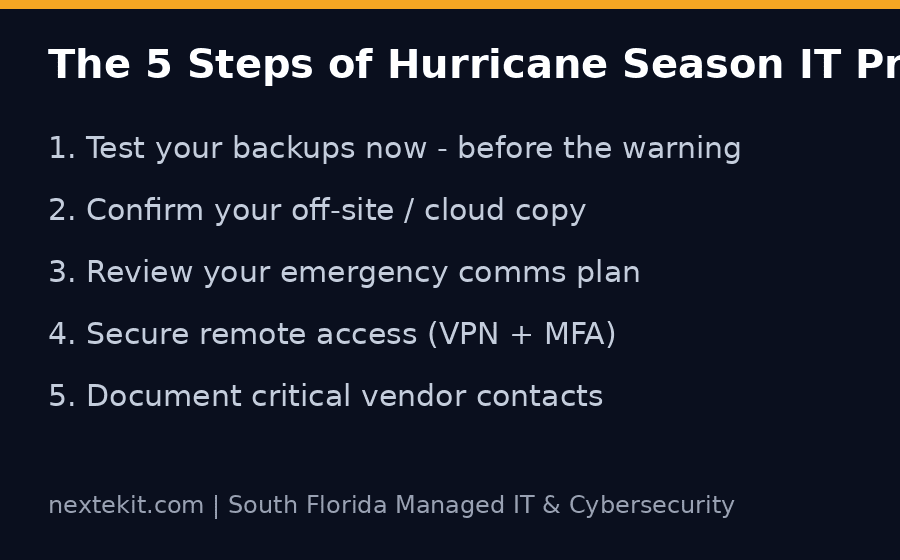
- Test your backups now — not in the middle of a storm warning. Follow the National Hurricane Center outlook through the season and run a documented restore test before the cone of uncertainty forms; it takes an afternoon and reveals most backup failures before they matter.
- Confirm your off-site/cloud copy — if your backup lives in the same building as your servers, it’s not a backup. A flooded office takes both down.
- Review your emergency communication plan — how do employees reach you if phones and internet are down for days? A simple call tree with personal cell numbers beats an internal chat app.
- Secure remote access before you need it — VPN with multi-factor authentication for the employees who’ll work from home or another state. Setting this up during a storm is chaos.
- Document critical vendor contacts — power, internet, insurance, and your IT provider’s emergency line. Put them on paper; your phone may not survive a power surge.
What hurricane prep actually costs
Most of these steps cost nothing beyond time — good hurricane season IT prep is more discipline than dollars. Testing a backup is free. A cloud backup subscription is a few dollars per workstation per month. A documented contact list is a spreadsheet. The alternative — losing a week of operations or, worse, your client data — costs far more than any of these.
South Florida businesses also need to think about what happens after the storm: power restoration timelines, equipment that sat in heat and humidity, and employees returning to a changed office. A recovery plan covers that, not just the evacuation phase.
Quick FAQ
How often should we test backups? At least quarterly, and always after any major system change. A restore test that passes on the first try is rare — testing is how you find the gaps before a storm does.
Do we need off-site backups if we have a generator? Yes. Generators keep servers running, but a flood or fire takes out the building regardless of power. Cloud or off-site copies are the only real protection for your data.
What’s the first thing to do when a storm warning is issued? Don’t scramble. Follow your plan: verify last night’s backup completed, notify employees of the comms tree, and secure on-premises data. If you don’t have a plan yet, Ready.gov’s hurricane guide is a solid checklist for the whole team — then call us today.
What about employee laptops and phones? Every device that touches business data needs the same protection: disk encryption, remote wipe capability, and a recent backup. A storm that destroys the office shouldn’t also destroy the only copy of a client presentation sitting on someone’s laptop.
When should we review our plan? The start of hurricane season (June 1) is the obvious checkpoint for hurricane season IT prep, but review it again in August — peak season. Plans written in June are already stale by the time the big storms form. A 20-minute review with your team and your IT provider in late summer catches what drifted.
What Nextek IT clients get
Nextek IT’s managed IT services include monitored, tested backups and disaster-recovery planning — the kind of preparation that turns a storm event into a minor inconvenience instead of a business shutdown. Our cybersecurity services cover the other side of the equation: endpoint protection, phishing-resistant email defenses, and MFA so a storm-window phishing attempt can’t slip past while your team is distracted. If you’re in Broward, Miami-Dade, or Palm Beach and don’t have a tested DR plan, contact us before the next storm forms.