

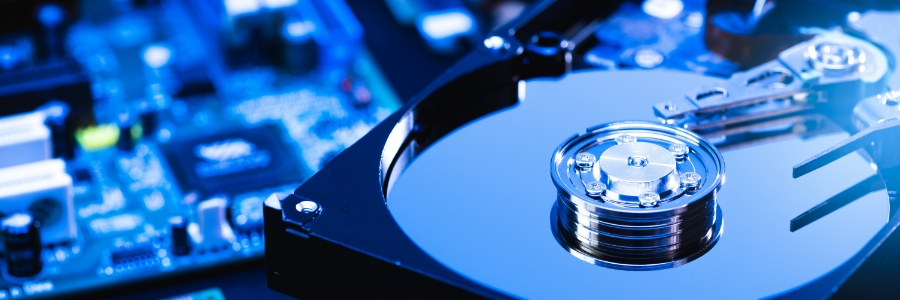
Did you know? Your Windows computer accumulates files over time, and this can slow down its performance. But don’t fret. You can speed up your computer in minutes by using its Disk Cleanup feature.
What is the Disk Cleanup tool?
Disk Cleanup is a program designed to help users free up storage space on their computer by deleting temporary and any unneeded files that are taking up valuable disk space. These files may include obsolete installation files, log files, internet history and cache, old system error reports and save points, downloaded offline content, etc. that might have been used or created by your system at some point, but are no longer necessary.
This tool can be a big help for those who work with large files or keep track of large amounts of data, as it can easily remove unnecessary clutter from the system so that you have more room for important files.
How to run the Disk Cleanup tool
The Disk Cleanup tool can be accessed in two ways:
- Option 1: Search “Disk Cleanup” in the Start menu on a Windows PC and select the drive you’d like to clean up.
- Option 2: Open your computer’s “File Explorer” and right-click on the drive you want to de-clutter. Click on Properties and select Disk Cleanup.
Next, select the file locations you would like to clean up. The Disk Cleanup tool will then automatically determine which files are safe to delete from your system.
Beside each file location, you can see how much hard disk space the selected files occupy. And if you click on the file location, you can view a description of the files so that you know what kind of data will be deleted.
If you need to free up more space, you can also choose to delete system files by clicking on Clean Up System Files. Finally, once you’ve ticked off all the necessary file locations, click OK.
It’s advisable to restart your system when Disk Cleanup is finished to ensure that the unnecessary Windows Update files are removed.
The benefits of Disk Cleanup
When was the last time you used the Disk Cleanup tool? With the benefits listed below, you’d definitely consider performing this essential task on your PC more regularly:
- Maximize your drive’s memory – Reclaiming precious storage space on your hard drive allows you to prioritize new, important files. You can also take full advantage of other benefits such as increased drive speed and improved performance.
- Enjoy a more reliable and secure computer – To ensure that your programs are functioning optimally, it’s important to regularly delete redundant and unnecessary files from your system. Cleaning up your cache and search history also ensures that your personal information can’t be accessed by cybercriminals.
- Promotes efficiency – Disk Cleanup makes decluttering your system simpler and easier. This allows you to focus on more essential tasks.
- Save money – It’s more cost-efficient to first try and troubleshoot your drive rather than investing in a new one and spending time configuring it.
The next time you are looking for a quick and easy way to improve the speed of your computer, consider using the Disk Cleanup tool. And if you need help managing your IT needs, contact us today to learn more about our IT services.
Speed up computer minutes tool: South Florida Business Takeaways
Speed up computer minutes tool matters when a growing company depends on reliable devices, cloud tools, cybersecurity, and responsive support. Nextek IT helps South Florida businesses turn this topic into practical technology standards that employees can follow.
The right technology habit is easier to maintain when it is part of a managed standard instead of a one-time fix. Nextek IT helps South Florida teams turn practical tips into repeatable IT support processes.
- Document the recommended process so employees apply Speed up computer minutes tool consistently.
- Review settings across managed devices, Microsoft 365, cloud apps, and user accounts.
- Confirm backups, cybersecurity controls, and support escalation steps before a small issue becomes downtime.
For help with Speed up computer minutes tool, explore Nextek IT’s fully managed IT services, server and desktop support, and cybersecurity services.
Contact Nextek IT when your South Florida team wants these improvements handled by an IT support partner instead of manually page by page.