

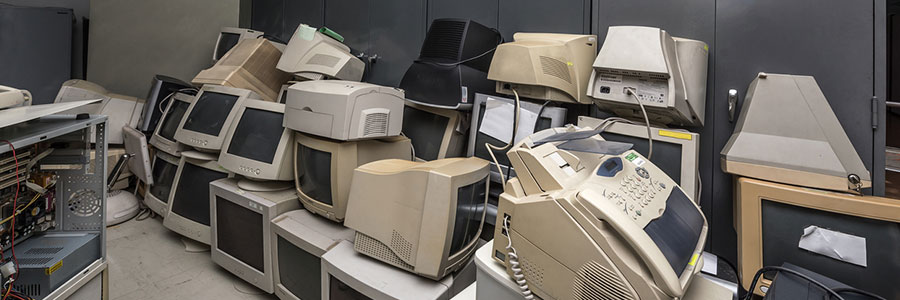
It’s inevitable. Sooner or later, you’re going to have to replace your computer. But while it may not be as fast as when you first got it or as sleek as your new computer, your old desktop or laptop might still have a lot to offer— after upgrading it a little, that is. Here are some great uses for your old computer.
As mentioned, you have to make a few upgrades on your old PC. You may want to try a lighter OS, for example. Keep in mind that the latest version of Windows or MacOS won’t work optimally without a fast processor, so a Linux-based OS, which comes in a variety of options called “distros,” would be a better option. It will make your computer feel brand new without exhausting its hardware.
Popular distros options such as Ubuntu, elementary OS, and PinguyOS can be easily installed. Plus, they have similar interfaces to Windows and come with a boatload of software packages. The best part is they require a minimum of 4GB of RAM, so you won’t have to invest much at all.
Once you’ve upgraded your old PC, you can start using it as a NAS server, a dedicated privacy computer, or a digital media hosting platform.
Make a NAS server
Network-attached storage (NAS) is a server for your home or small business network that lets you store files that need to be shared with all the computers on the network. If your old PC has at least 8GB of RAM, you can use it as your own NAS.
Simply download FreeNAS, a software accessible on Windows, MacOS, or Linux, that enables you to create a shared backup of your computers. FreeNAS has access permissions and allows you to stream media to a mobile OS, like iOS and Android.
But if you’d rather convert your PC into a private cloud for remote access and data backup, Tonido is a great alternative. Compatible with Mac, Windows, and Linux, this free private cloud server turns your computer into a storage website, letting you access files from anywhere on any device.
Tonido offers up to 2GB of file syncing across computers, and there are even Tonido apps for iOS and Android.
Secure your online privacy
Install The Amnesic Incognito Live System (TAILS) on your old computer and enjoy your very own dedicated privacy PC.
TAILS routes all your internet traffic and requests through TOR Project, a software that makes it difficult for anyone to track you online. All of this Linux-based software’s integrated applications like web browser, Office suite, and email software are pre-configured for robust security and privacy protection.
Kick your media up a notch
Looking for a way to listen to music and podcasts or watch videos on other PCs or mobile devices? Server software like Kodi can help.
Kodi brings all your digital media together into one user-friendly package so you can use your old PC as an audio and video hosting platform. From there, you can play files on other devices via the internet. There are remote control apps for both iOS and Android, and even an app for Kodi playback on Amazon Fire TV.
Kodi works on any Windows, MacOS, and Linux computer, and even on even rooted Android and jailbroken iOS devices.
We’re always on the lookout for ways to help our clients make the most out of their technology investments. Want to know more about how to utilize hardware to your business’s advantage? Give us a call.
Great uses old computer: South Florida Business Takeaways
Great uses old computer matters when a growing company depends on reliable devices, cloud tools, cybersecurity, and responsive support. Nextek IT helps South Florida businesses turn this topic into practical technology standards that employees can follow.
The right technology habit is easier to maintain when it is part of a managed standard instead of a one-time fix. Nextek IT helps South Florida teams turn practical tips into repeatable IT support processes.
- Document the recommended process so employees apply Great uses old computer consistently.
- Review settings across managed devices, Microsoft 365, cloud apps, and user accounts.
- Confirm backups, cybersecurity controls, and support escalation steps before a small issue becomes downtime.
For help with Great uses old computer, explore Nextek IT’s fully managed IT services, server and desktop support, and cybersecurity services.
Contact Nextek IT when your South Florida team wants these improvements handled by an IT support partner instead of manually page by page.